Every sole-trader client, SA103F-ready, without the shoebox
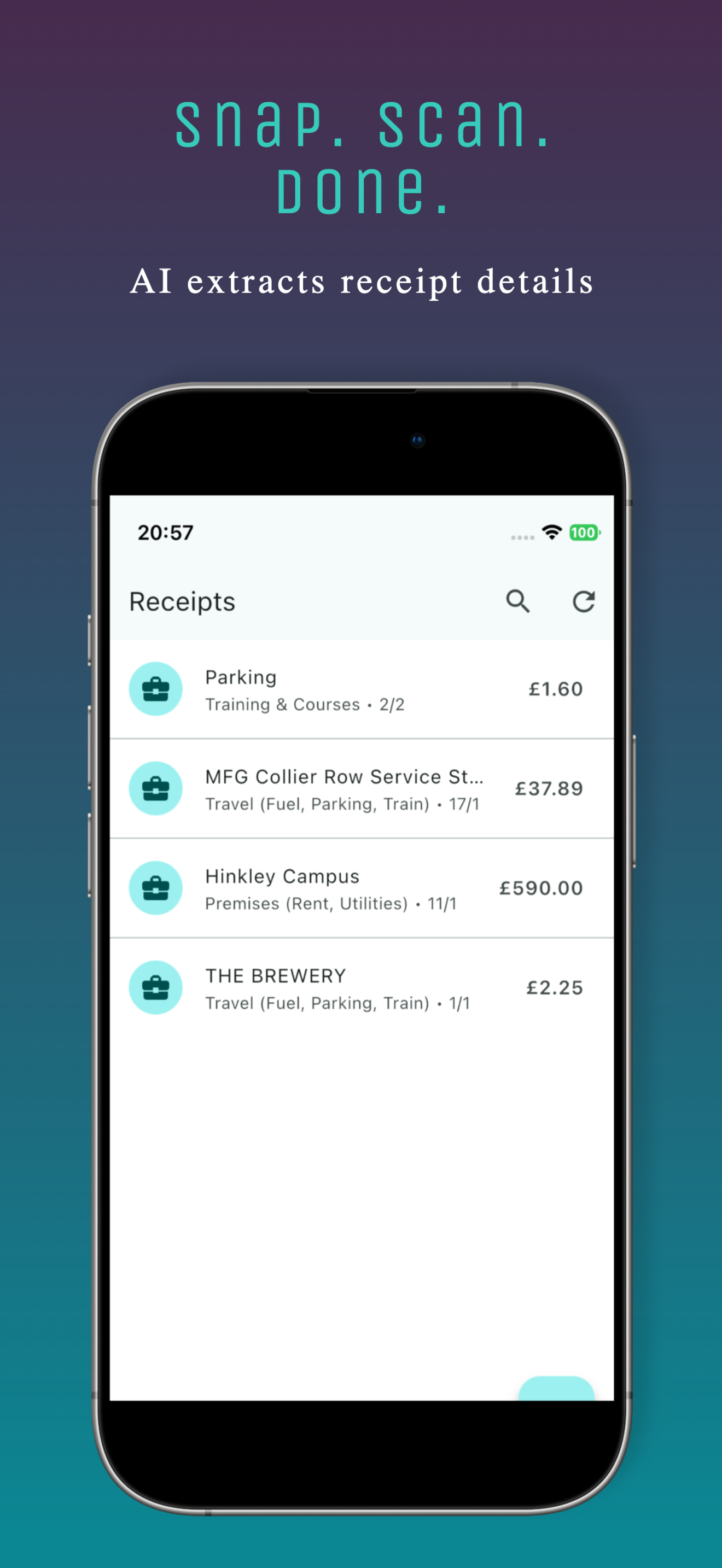
Clients scan receipts on their phone. You see everything on your dashboard, categorised to SA103F, ready to export to Xero, Sage, QuickBooks and 7 more. No chasing. No shoeboxes.
No card required · No client limit · Full access
Sound familiar?
The Quarterly Scramble
Making Tax Digital replaces one annual return with five filing points a year. The receipt chase now repeats every quarter, not just in January.
The Email Chase
"Can you send me your bank statement?" Three follow-ups later, wrong month. Repeat for 20 clients.
The Missing Data
No VAT numbers. No mileage log. Categories wrong. You fix it all manually, and pray nothing was missed.
One dashboard. Every client. Always up to date.
PocketReceipt Dashboard is your command centre for sole trader bookkeeping.
Command Centre
See all clients at a glance: active count, total receipts, total expenses, average health score, who needs attention. One screen, zero clicking around.
Tax Year Summary
One page per client: total income, expenses by SA103F box, mileage deduction, CIS offsets, net profit. Plus a filing readiness checklist, NINO, UTR, categories, images. Know instantly if a client is file-ready or needs work.
Quarter Review Workflow
Each quarter has its own status: Open, In Progress, Sent for Review, Reviewed, Needs Correction, Locked. Review checklists, HMRC tax summaries, and milestone timelines built in.
Data Quality Engine
Automatic flags: missing VAT, no image, uncategorised, possible duplicates, partial business use, manual entries. Click any flag to filter straight to the problem receipts.
Remote Editing
Wrong category? Fix it yourself. Mileage purpose missing? Correct it. Your changes sync to your client's phone automatically. No phone call needed.
Client Messaging
Send deadline reminders, action requests, queries, with templates. Your client sees it in-app and acknowledges. You see the read status. Everything in one place.
Tax Year Summary
The file-ready view. Everything an accountant needs to prepare a Self Assessment return, on one page, per client.
What you see:
✔️ Expenses, Every SA103F box (17–28, 30) with totals
✔️ Box 31 total, Total allowable expenses, calculated
✔️ Mileage, Total miles, AMAP deduction at HMRC rates
✔️ CIS, Gross, deducted, net with contractor detail
✔️ VAT, Total recoverable (or reference if not registered)
✔️ Net Profit, Income minus deductions
Filing Readiness Checklist:
✅ Sufficient receipts captured
✅ All receipts categorised to SA103F
✅ No unmapped categories
✅ Receipt images attached
✅ No duplicate receipts
✅ NINO on file
✅ UTR on file
✅ Business profile complete
One click. Your software. Done.
Every export is pre-formatted with the right column headers, date format, and category codes. No manual mapping.
From shoebox to Self Assessment
Client Records
Your client snaps receipts, logs mileage, and tracks income using the free app. AI categorises everything to SA103F boxes automatically.
Data Flows to You
Receipts, mileage, CIS payments, documents, and quarter data sync to your dashboard. No spreadsheets, no emails.
You Review & Correct
Fix categories, request missing documents, send messages. Review each quarter with checklists and tax summaries.
Export & File
Tax Year Summary shows filing readiness. One-click export to your software. SA103F boxes pre-mapped. Done.
Built by someone who watched accountants struggle
Every feature exists because an accountant needed it. Nothing is filler.
🏠 Command Centre
All clients at a glance. Health scores, attention alerts, total receipts and expenses.
📋 Tax Year Summary
SA103F breakdown, net profit, filing readiness checklist. The file-ready view.
📅 Quarter Review
Start review, request correction, mark reviewed. Status timeline and HMRC summaries per quarter.
✅ Data Quality
Missing VAT, no image, uncategorised, duplicates, partial business use. Click to filter.
✏️ Remote Editing
Correct categories and mileage purposes. Changes sync to client's phone.
💬 Messaging
Templates for deadlines, actions, queries. Read receipts. Priority flags.
📂 Document Requests
Request bank statements, earnings reports. Client uploads securely. Auto-deleted after 30 days.
📝 Private Notes
Add notes per client. Tax deadlines, special circumstances, follow-ups. Only you see them.
📊 10 Software Exports
Pre-formatted for Xero, FreeAgent, QuickBooks, Sage, and 6 more. Plus PDF and bulk ZIP.
📸 Receipt Images
View and download original receipt photos. Check VAT numbers and verify amounts from your browser.
🏗️ CIS Dashboard
Gross, materials, labour, CIS deducted, net, per payment. Contractor details and employer refs.
🚗 Mileage Tracking
Vehicle-level tracking, AMAP rates, cumulative HMRC thresholds. Mileage deductions calculated.
🛡️ Client Health Scores
See at a glance: who's active, who's falling behind, who has data issues. Score 0–100.
🔗 Client Link Codes
Your client generates a 6 digit code in the app and gives it to you. You enter it on your dashboard and they approve. Codes last 30 minutes.
🔒 Consent-Based Access
Clients must approve the link. They control what you see. Privacy-first, built with UK GDPR requirements in mind.
Create your Dashboard account
No charge for accountants. No card required. No client limit. Full dashboard access.
Create your account on the Dashboard.
No card required. Ready in 60 seconds.
"I used to spend the first week of January chasing receipts and bank statements. Now I open the dashboard and everything's there. If a category is wrong, I fix it myself. The Tax Year Summary is exactly what I needed."
Email tips for accountants taking on sole-trader clients
Three short emails over a week. How PocketReceipt and the Accountant Dashboard work together, the sole-trader tax shortcuts your clients miss, and where receipts go wrong before they reach your inbox.
No spam. Unsubscribe anytime.
Common questions from accountants
A one-page view per client showing total income (Box 15/16), expenses by SA103F box (17–28, 30), mileage deduction at HMRC rates, CIS offsets, VAT, and net profit. Plus a 9-point filing readiness checklist showing whether NINO, UTR, categories, and images are all in order. It's the view you need to prepare a Self Assessment return.
Yes. You can correct expense categories and mileage purposes directly. Your changes sync to your client's phone automatically. No phone call needed.
Each quarter moves through statuses: Open → In Progress → Sent for Review → Reviewed or Needs Correction → Locked. You can start a review, request corrections (with categories like VAT issue, duplicate, missing data), and mark reviewed. Each quarter has a review checklist, HMRC tax summary, and milestone timeline.
Yes. One-click export formatted for Xero, FreeAgent, QuickBooks, Sage, KashFlow, Clear Books, IRIS, Zoho Books, Wave, and QuickFile. Each export has the correct column headers, date format, and category codes for that software. Plus PDF reports, generic CSV, and bulk ZIP export for all clients.
There is no charge for you as the accountant, and no per client fees. Your clients connect you from the PocketReceipt app on a paid Professional plan (£7.99 a month or £69.99 a year, as shown in the App Store and Google Play). Linking is not included in the Professional trial.
Your client opens My Accountant in the PocketReceipt app, generates a 6 digit code and gives it to you; you enter it on your dashboard and the client approves the connection. Clients need a paid Professional plan (not the trial). Consent-based, GDPR compliant.
No. PocketReceipt is a record-keeping and export tool. It produces organised reports that you use when preparing your client's Self Assessment return.
Your access to that client pauses. You see only their name or email and how many days are left. If they renew Professional within 30 days, access comes back with no new code. After 30 days the link ends and your copy of their data is deleted.